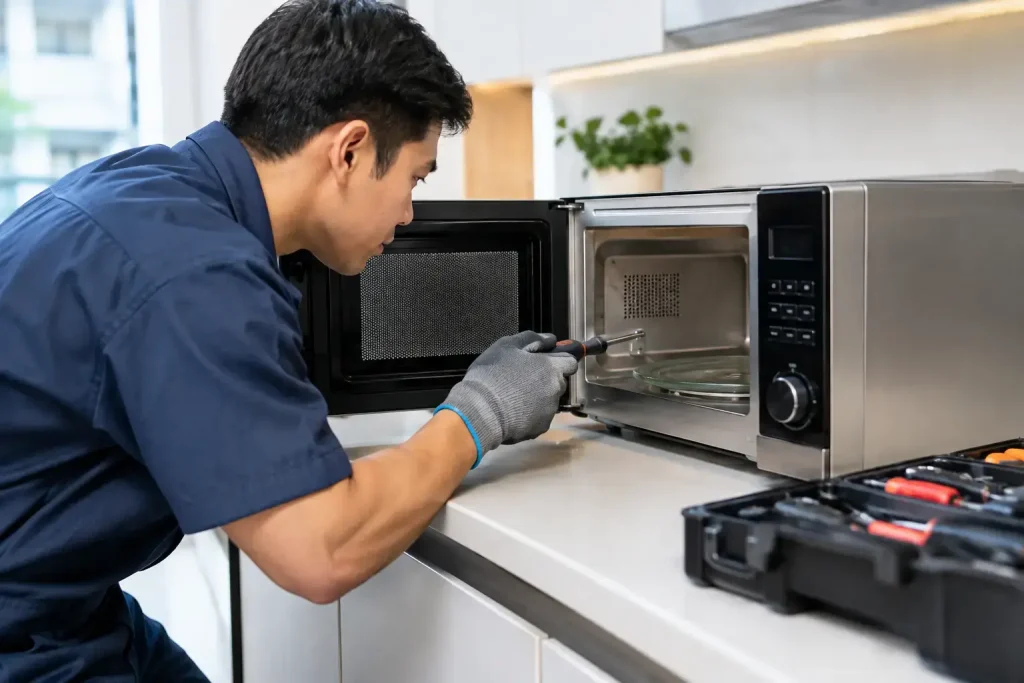
A microwave that suddenly stops heating can disrupt more than a quick meal. In homes, offices, cafés, and staff pantries, it can leave people wondering whether a simple reset will help or whether microwave repair is needed. The right answer depends on the symptom, the appliance’s age, and whether the fault involves the high-voltage components inside.
Some microwave problems are minor, such as a loose door latch or a failed interior lamp. Others require professional diagnostics because microwaves can retain a dangerous electrical charge even after they have been unplugged. Knowing the difference helps you act quickly without taking unnecessary risks.
When Microwave Repair Makes Sense
A microwave is often worth repairing when it is a quality built-in or countertop model, is under roughly eight to 10 years old, and has been reliable until the current fault. Replacing a door switch, turntable motor, control panel component, or power supply part can be considerably more practical than replacing the whole unit.
Built-in microwave ovens deserve particular consideration. Their replacement may involve matching cabinet dimensions, trim kits, ventilation clearances, and electrical requirements. If the microwave fits properly and the exterior is in good condition, a targeted repair can be the simpler option.
Replacement may make more sense if the cavity is heavily rusted, the door or frame is damaged, multiple costly parts have failed, or spare parts are no longer available. A professional inspection can identify the faulty component and provide a clear repair recommendation before work starts.
Common Microwave Problems and What They Mean
The microwave runs but does not heat
This is one of the most common reasons for microwave repair. The display may light up, the fan may run, and the turntable may rotate, but food remains cold. Possible causes include a failed magnetron, high-voltage diode, capacitor, transformer, inverter board, or door switch.
These parts should not be tested or replaced by an untrained person. The high-voltage circuit can store a serious electrical charge. Unplug the appliance and arrange a professional diagnosis instead of removing the cover.
The microwave has no power
If the microwave is completely dead, first check whether the power outlet is working by testing it with another suitable appliance. If the outlet is fine, the issue may be an internal fuse, thermal cutout, damaged power cord, control board fault, or door-switch problem.
Avoid repeatedly switching the microwave on and off if it has tripped power or produced an unusual smell. This can indicate an electrical fault that needs attention before the appliance is used again.
The microwave sparks or flashes inside
Sparking is not always a sign that the microwave has failed. Metal utensils, foil, twist ties, or dishes with metallic trim can cause arcing. Remove the item, clean away any burnt food residue, and inspect the cavity for damage.
If sparking continues with a microwave-safe container and nothing metallic inside, stop using the appliance. A burnt waveguide cover, damaged cavity coating, faulty rack support, or internal component problem may be responsible. Continued use can worsen the damage.
The turntable does not rotate
A stationary turntable may result from an incorrectly seated roller ring, a worn drive coupler, or a faulty turntable motor. Check that the glass tray is positioned correctly and that food containers are not catching on the cavity wall.
A microwave can sometimes still heat without the turntable moving, but food will heat unevenly. Do not ignore the issue if the motor makes grinding noises or the tray repeatedly jams, as this can damage related parts.
The door will not close or the microwave stops when the door moves
The door is a critical safety feature. A broken latch, worn hook, damaged hinge, or faulty interlock switch can prevent the microwave from starting or cause it to stop during use. Never force the door shut, tape it closed, or attempt to bypass a safety switch.
Door faults need prompt professional assessment. The appliance should only operate when the door closes and locks correctly.
Loud buzzing, humming, or burning smells
A low background hum is normal during operation. A louder-than-usual buzz, vibration, grinding sound, or burning odor is not. The source could be the cooling fan, turntable motor, transformer, magnetron, or an electrical connection.
Stop the microwave immediately if you notice smoke, a burning smell, or repeated loud noises. Unplug it if safe to do so, and do not use it again until it has been checked.
Safe Checks Before Calling for Microwave Repair
There are a few safe checks that homeowners and business users can make without opening the appliance. Confirm that the wall outlet works, inspect the power cord for visible damage, and make sure the door closes cleanly. You can also remove food splatters, check that the turntable is seated properly, and reset the clock if there has been a power interruption.
Test heating with a microwave-safe cup of water for about one minute, following the manufacturer’s instructions. If the water remains cold, heats unevenly, or the microwave makes unusual sounds, stop the test. Do not run a microwave empty, as this can damage the magnetron.
Do not remove the outer casing, touch internal wiring, or replace a fuse yourself. Unlike many small appliances, a microwave contains high-voltage parts that remain hazardous after unplugging.
What Happens During a Professional Microwave Repair
A proper diagnostic visit begins with checking the reported symptom and inspecting the external condition of the appliance. The technician may test the door interlock system, fuse, thermal protection, control board, fan, turntable assembly, and heating circuit, depending on the fault.
The repair recommendation should explain the failed part, whether replacement parts are available, and whether the cost is reasonable compared with replacement. For built-in microwave ovens, the technician should also check installation clearance and ventilation, as poor airflow can contribute to overheating and shortened component life.
At Fix It Appliance, microwave repairs are handled with a practical approach: identify the cause, explain the options clearly, and carry out only the work that makes sense for the appliance. This is especially useful for busy households and commercial settings where downtime needs to be kept short.
How to Help Your Microwave Last Longer
Microwave maintenance is simple, but it has a real effect on reliability. Clean spills promptly, especially around the door seal and cavity edges. Grease and food residue can carbonize over time, leading to smoke, odors, and arcing.
Use microwave-safe containers and avoid metal unless the manufacturer specifically states that a supplied rack or accessory is safe to use. Do not block ventilation openings, and allow the appliance to cool between heavy use cycles. For built-in units, keep the surrounding ventilation path clear.
Take care with the door. Slamming it, hanging items from the handle, or operating the microwave when the latch is worn can damage the interlock system. If the door feels loose or needs to be lifted to start the appliance, arrange service before the fault becomes more serious.
Repair or Replace: A Practical Decision
The best choice is rarely based on age alone. A relatively new microwave with a single failed switch or turntable motor is usually a good repair candidate. An older model with rust inside the cavity, a damaged door, and a failed magnetron may be better replaced.
Consider the total cost, parts availability, installation requirements, and how the appliance is used. For a built-in microwave or a unit used frequently in a workplace, repairing a reliable model can avoid the inconvenience of sourcing and fitting a replacement. For any microwave that sparks, smells burnt, fails to heat, or has a damaged door, stop using it and get a clear diagnosis before deciding your next step.