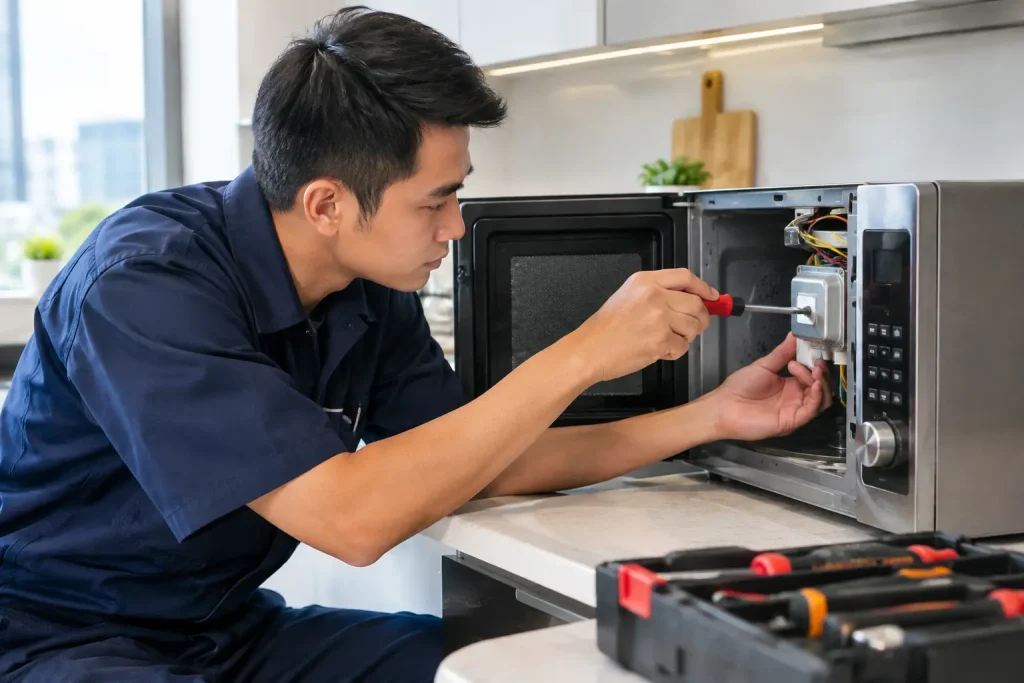
A microwave that suddenly stops heating can disrupt a busy household, office pantry, or commercial kitchen. Many common microwave oven errors have simple causes, such as an incorrectly closed door or unsuitable container, but others involve high-voltage components that should only be handled by a qualified repair technician.
The key is to separate safe checks from faults that need professional diagnosis. Never remove a microwave cover to investigate a problem. Even when unplugged, certain internal parts can retain a dangerous electrical charge.
1. Microwave Has No Power
If the display is blank and the microwave does not respond, start with the power supply. Check that the plug is firmly inserted into the wall outlet and that the outlet is working by testing it with another appliance. In Singapore, avoid running a microwave through an overloaded extension strip or multi-plug adapter, especially alongside other heat-producing appliances.
A tripped circuit breaker, damaged power cord, failed door switch, or faulty control board can also cause a complete loss of power. If the outlet works but the microwave remains dead, stop using it. A technician can test the internal fuse and electrical components safely.
2. Microwave Runs but Does Not Heat
This is one of the most common microwave oven errors and one that should not be treated as a DIY repair. The light may come on, the turntable may rotate, and the timer may count down normally, yet the food remains cold.
Possible causes include a failed magnetron, high-voltage diode, capacitor, transformer, inverter board, or door switch. These parts generate and control the energy used for heating. The exact repair depends on the microwave model and fault found during testing.
For an older countertop unit, the cost of a major heating-system repair may not make sense compared with replacement. For a built-in microwave or a commercial unit, repair is often more practical because replacement involves fitting, installation, and possible cabinet adjustments.
3. Sparks or Arcing Inside the Microwave
Sparks inside the cavity are alarming, but the cause is not always a major failure. Stop the microwave immediately and unplug it. Check for metal cutlery, foil, metallic trim on containers, twist ties, or damaged microwave-safe ware.
If there is no metal inside, inspect the waveguide cover. This is usually a small panel on an interior wall or ceiling of the cavity. Grease buildup, food splatter, burns, or damage to this cover can cause arcing. Do not continue operating the microwave if the interior has burn marks or the cover is damaged.
A technician can determine whether the cover can be replaced and whether the cavity, magnetron area, or other internal components have been affected. Continued use after repeated sparking can turn a minor repair into a more costly one.
4. Turntable Does Not Rotate
A turntable that does not spin can heat food unevenly. First, remove the glass tray and roller ring, then clean away any crumbs or hardened spills. Make sure the tray is seated correctly on the center coupler and the roller ring is not cracked or out of position.
If the tray still does not move, the turntable motor, drive coupler, or control circuit may have failed. Some microwave models can still heat with a stationary tray, but this depends on the design and should not be assumed. Uneven heating is a practical concern, particularly in workplaces and businesses where the appliance is used frequently.
5. Microwave Door Will Not Close or Latch Properly
A microwave is designed not to operate unless its door safety system is fully engaged. A door that sags, sticks, pops open, or needs to be pushed hard to start may have worn hinges, a broken latch hook, or a faulty door switch.
Do not force the door or tape it shut. A misaligned door can prevent heating, cause intermittent operation, or lead to further damage to the latch assembly. Door-related faults are usually repairable when addressed early, especially if the door itself is not badly cracked or warped.
6. Keypad Buttons Do Not Work
When only certain buttons fail, the likely issue is the membrane keypad or touch panel. If every button is unresponsive, the control board, display assembly, or power supply may be involved.
Before arranging repair, disconnect power for a few minutes and reconnect it. This may clear a temporary electronic glitch. Also wipe the control panel with a soft, lightly dampened cloth and dry it thoroughly. Moisture, grease, and heavy use can affect keypad response over time.
If the microwave starts by itself, changes settings unexpectedly, or has a stuck button, unplug it and arrange service. Do not leave a microwave with unpredictable controls connected to power.
7. Microwave Trips the Circuit Breaker
A microwave may trip a breaker when it starts heating because it draws more power during that stage than when the clock or light is running. One isolated trip can happen if too many appliances are operating on the same circuit. Repeated tripping, however, needs attention.
Try the microwave directly in a suitable wall outlet without an extension lead. If it still trips the breaker, the appliance may have a short circuit, faulty high-voltage component, damaged power cord, or failed noise filter. Do not repeatedly reset the breaker and try again. This can worsen the fault and creates an avoidable safety risk.
8. Error Code Appears on the Display
Microwave error codes vary widely by brand and model. A code may point to a sensor issue, inverter fault, cooling problem, door switch error, or communication failure between electronic boards. The same code can mean something different on another model, so generic online advice is not always reliable.
Record the exact code, note when it appears, and take a photo of the display if possible. Useful details include whether the microwave was heating, whether the door had just been opened, and whether the fault started after a power interruption. This information helps speed up professional diagnosis and reduces unnecessary part replacement.
9. Loud Buzzing, Grinding, or Humming Noises
Microwaves normally make a low hum while heating, along with the sound of the cooling fan and turntable motor. A new, unusually loud, or grinding noise is different.
A scraping sound may come from the roller ring or turntable motor. A loud electrical hum can be associated with the magnetron, transformer, inverter, or high-voltage system. Rattling may indicate a loose fan blade or damaged internal mounting. If the noise occurs with a burning smell, sparks, or loss of heating, unplug the appliance immediately.
10. Microwave Runs but Stops Before the Timer Ends
If a microwave switches off during use, overheats, or works again only after cooling down, the cooling fan or thermal protection system may be involved. Blocked vents, grease buildup, and cramped installation spaces can contribute to overheating, particularly for built-in units.
Make sure exterior vents are unobstructed and the appliance has the clearance specified by its manufacturer. Do not place items on top of a microwave if they restrict airflow. If the issue continues, internal airflow components, thermal cutouts, or control boards should be checked by a professional.
Safe Checks Before You Book a Repair
Homeowners and staff can safely check the wall outlet, plug condition, door closure, turntable placement, visible interior damage, and whether a wrong container caused sparks. They should not open the casing, test high-voltage parts, bypass door switches, or operate the microwave with a damaged door.
For commercial settings, remove the microwave from use as soon as there is sparking, breaker tripping, a burning smell, door damage, or erratic operation. Keeping a faulty unit in service can affect safety and create longer downtime later.
Should You Repair or Replace a Microwave?
The answer depends on the microwave type, age, condition, and failed part. Replacing a damaged waveguide cover, turntable motor, door switch, latch, or keypad can be a sensible repair. A major magnetron or inverter fault in an older basic countertop microwave may make replacement the better option.
Built-in, combination, and commercial microwaves deserve a closer assessment because their replacement costs are higher and installation is more involved. A professional diagnosis gives you the fault, available repair options, and a clearer decision before you spend on parts.
Regularly clean spills, keep vents clear, close the door gently, and use microwave-safe containers. When a fault goes beyond these basic checks, timely service is the safest way to bring your appliance back to reliable use.